


We list betting deals from trusted sportsbooks and may earn commission via affiliate links at no extra cost to you.
Please adhere to local gambling laws, which may change. Note, ratingbet.com is not a gambling operator nor offers gambling services. We are not responsible for third-party actions and do not support gambling where prohibited.
To access Xparibet’s sportsbook, live odds, and casino games you first have to create an account. And the account creation process is fast and user-friendly. Once you register, you simply do your XpariBet login any time you want to return to the account.
In this guide, we’ll explain in simple words how to open a new account and how to log in to your existing account. We’ll also show you how to fix login issues, use a promo code properly, and contact support quickly.
How to Log In to Xparibet
It is fast and easy to return to your account. The Xparibet login screen works the same way on phones and computers. This is how to do that:
- Go to the Xparibet website or open the app.
- Click on Login in the top right corner of the homepage, next to Registration.
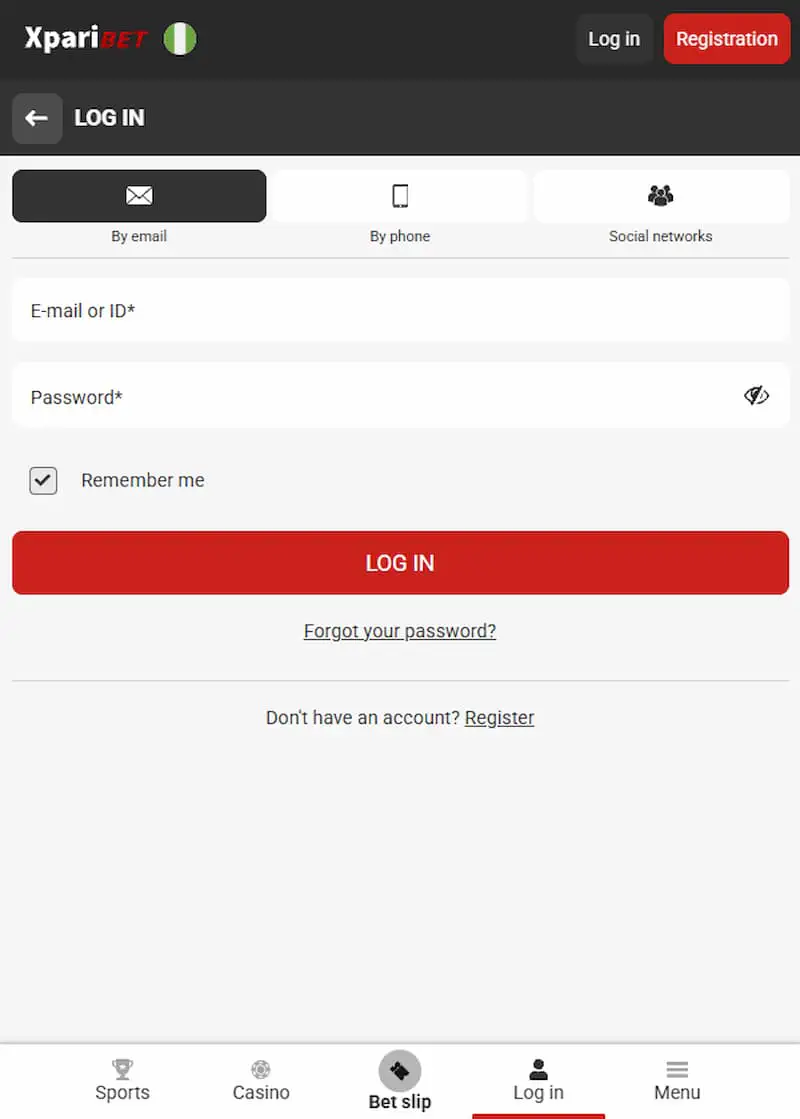
- Input your email, phone number, or ID, and your password.
- Tap Login again to enter your account.
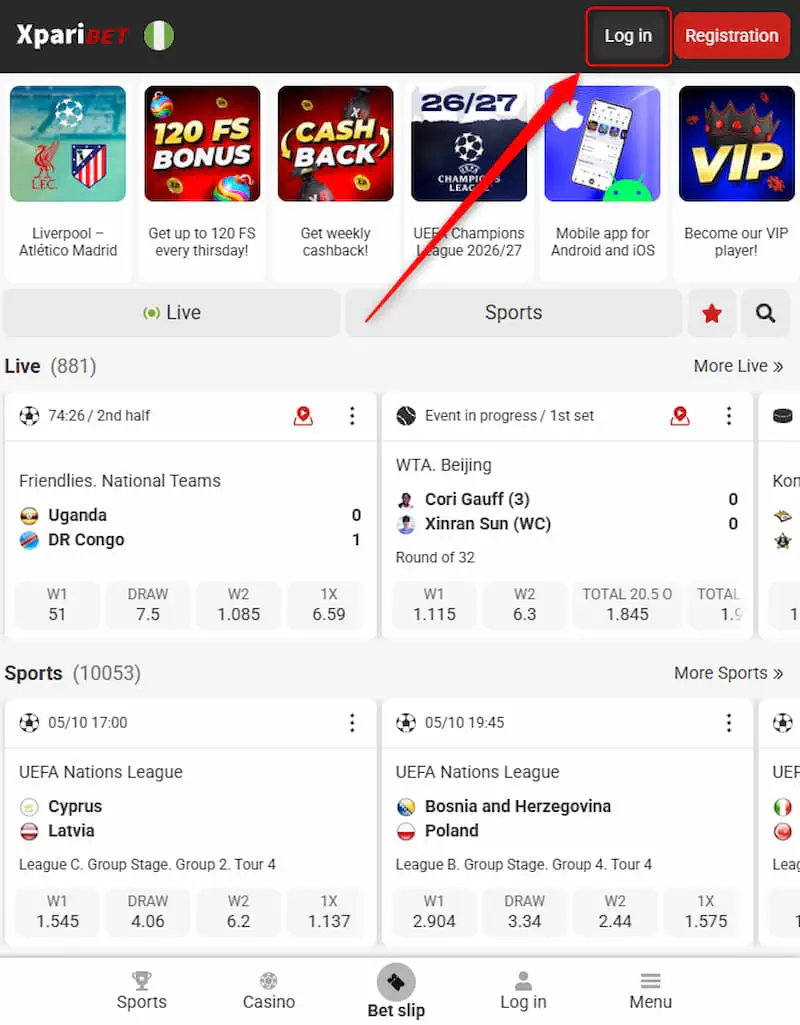
If you created an account through your existing profile on Google, X, Telegram, Line, Twitch, or Apple ID, you can log in very fast using that profile.
We found from our tests that you get the quickest and safest login when you use the app, as against the website. So for this faster Xparibet app login, you need the Xparibet app.
Here are login tips you should follow:
- Use a strong password that has both letters and numbers.
- Do not give out your login details to anyone, including support staff.
- Always log out fully on shared or public devices.
- Double check the web address to avoid fake login pages.
If you do not already have an account, go to the official website or open the app and register.
How to Register on Xparibet
You can sign up in less than two minutes. There are three ways to do the Xparibet registration:
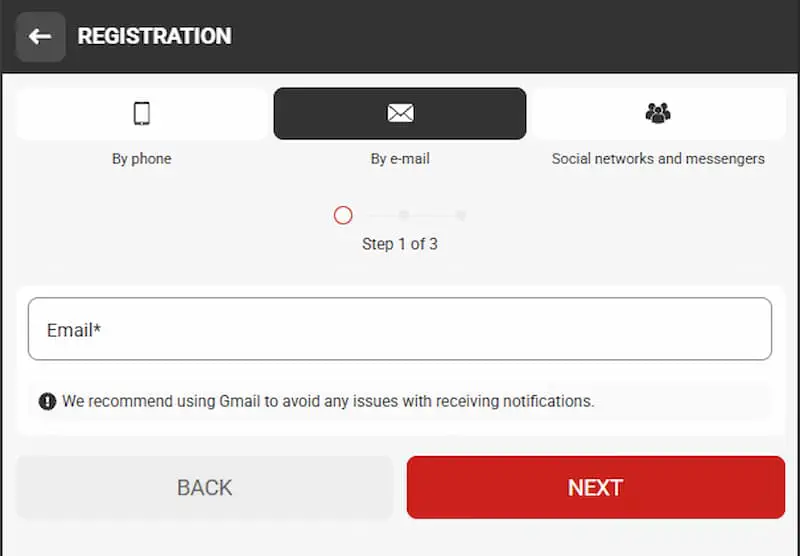
By email
- Go to the Xparibet website or app and click on Registration.
- Choose By email.
- Enter your email address, and then select your country.
- Select your preferred currency, then create a password.
- Next, you will see a Promo code box – enter the code xp_8871 there. Then select Bonus for sports as your preferred bonus (This is because the promo code is only valid for the sportsbook; it doesn't work for the casino games).
- Click Register.
Phone number
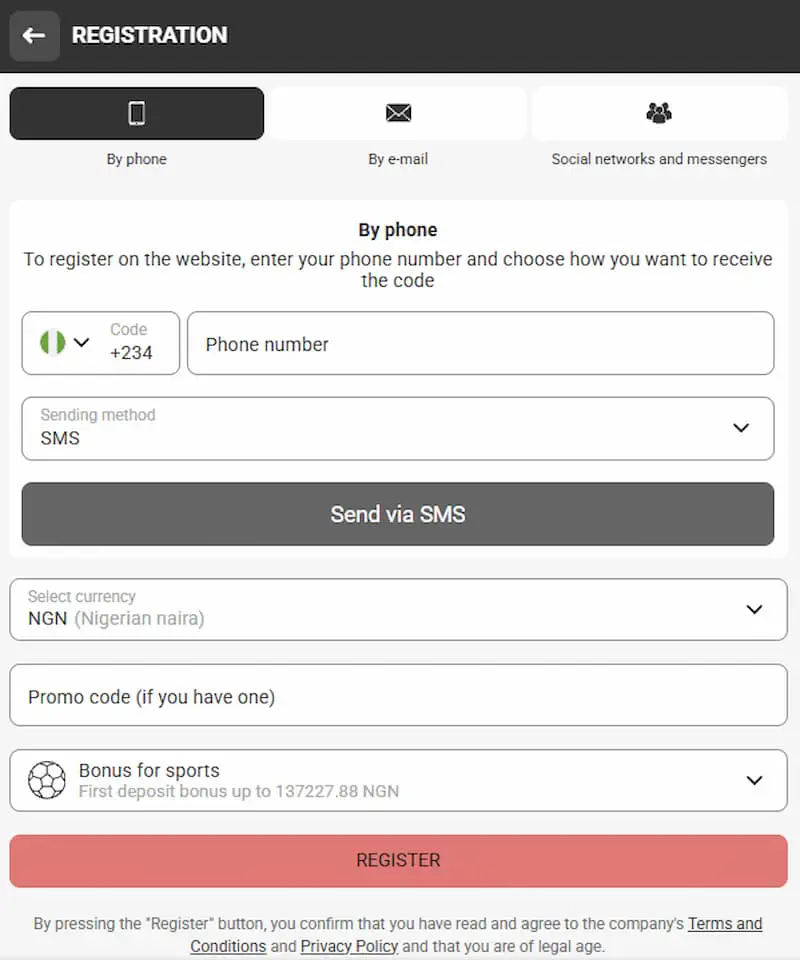
- Select By phone.
- Enter your phone number and choose how you want to receive the confirmation code.
- Type in the code to verify your phone number.
- Select your preferred currency.
- Next, you will see a Promo code box – enter the code xp_8871 there. Then select Bonus for sports as your preferred bonus.
- Click Register.
Social networks and messengers
- Choose Social networks and messengers.
- Select your country and currency.
- Next, you will see a Promo code box – enter the code xp_8871 there. Then select Bonus for sports as your preferred bonus.
- Select one of the available social media platforms to link your account on that platform to Xapribet. The available platforms are Google, X, Telegram, Line, Twitch, and Apple ID.
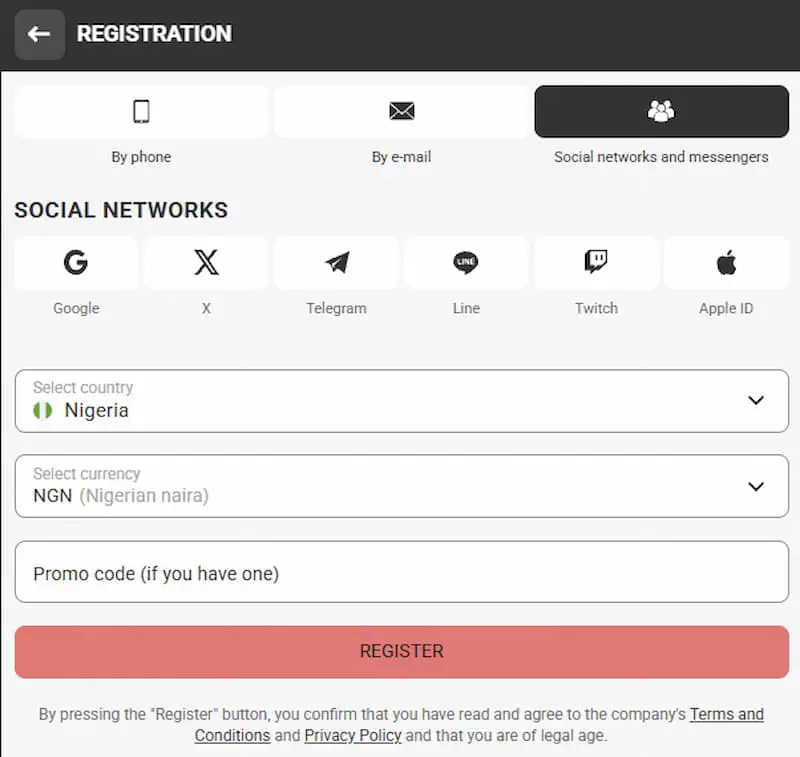
No matter which method you choose, registration gives you the same access to sports betting, live odds, and casino games. Registration via the mobile app works the same way as on the website.
After registration, go to your account profile and complete your personal data. This is important because completed profiles enjoy faster withdrawals and a smoother login later on
You must be 18 or older to open an account, and one person is entitled to only one account.
Xparibet Login Problems and How to Fix Them
There can be login issues even on a user-friendly platform. These are the most common Xparibet login problems and fast ways to fix each.
| Problem | What to Do |
| Forgotten password | Click on Forgot password on the login page and reset it using your email or phone |
| Wrong login details | Double check your email, phone number, or ID and try again |
| Incomplete verification | Confirm your email or phone number in account settings to enable full account access. |
| Account locked temporarily | Try again in 15-30 minutes |
| Cache or cookie errors | Clear your browser’s cache and cookies, then reload the login page |
| Account blocked | Reach out to support directly to know why and the next steps to take |
It is easy to fix most of the login problems. You do not require any tech skills to do this and you can complete it in less than one minute. If a page is stuck, try closing and reopening the app.
Also make sure you protect your Xparibet login password. Make it something unique. Do not reuse old passwords from other sites. And immediately you suspect someone knows your password, change it. If none of the solutions worked for you, contact the support team.
Xparibet Promo Code for Registration
A promo code is a mix of letters and numbers that increases your first deposit by additional percentage. Xparibet gives new users a standard bonus match of 100% on their first deposit. This is credited to your account once you sign up and make a qualifying deposit. And you do not require the Xparibet bonus code for this standard offer. But with our promo code xp_8871, you get an extra 30% on top of the standard offer - so that makes it a 130% first deposit match.
This is how to use our code:
- On the registration form, you’ll see a Promo code box - enter the promo code xp_8871 there.
- Make your first qualifying deposit to activate your bonus.
- Check the terms for the wagering requirement and time limit before you place any bets.
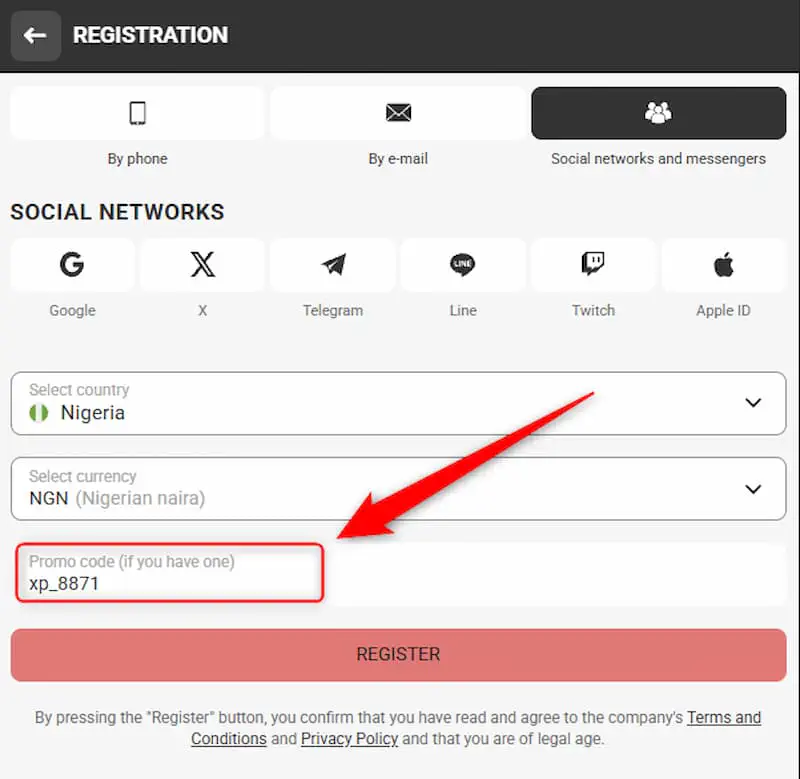
Some bettors ask if our Xparibet promo code works for casino games. The answer is no - our code is not valid for the casino section.
There can only be one welcome bonus code for one new account, so compare the best available offers before you apply any one. Codes also change from to time, so confirm which is the latest before you sign up.
We tested this and found that the code applied instantly, and the extra deposit match reflected. But note that it is only during signup that you can enter a welcome bonus code.
Technical Support for Xparibet Users
If you’re facing any difficulty with your Xparibet registration, login, a bonus, or anything else, there are a number of ways to contact the support team for help.
| Support Channel | Best For | Typical Response Time |
| Live Chat | Urgent login or account issues | Almost instant, up to 2 minute |
| Detailed questions or documents | Up to 24 hours | |
| Phone | Urgent and general issues | Up to 1 minute |
| Telegram | Quick updates and questions | varies |
For urgent matters, such as payment or unsuccessful login, live chat should be your first recourse. Email works better for registration documents or account verification, as you can attach files. Go to info@xparibet.com or phone +33 800920104 and state the issue clearly.
The most recurring issues on support tickets are unfinished registration, Xparibet login problems, missing bonuses, and verification questions. Mention your registered email or phone number to make the support process faster. If the issue cannot be resolved via live chat, the agent will escalate it to a specialist team and send you a follow-up email within 24 hours.
How to Delete a Xparibet Account
Some bettors may want to take a permanent break from betting. It is easy to close your account if you no longer want to use Xparibet. There are two ways to go about this.
- Option 1: Live Chat. Open live chat on the website or app and ask the support staff to close your account. They may ask a number of questions first, to confirm you’re the true owner of the account and to know why you're leaving.
- Option 2: Email request. Send an email to info@xparibet.com requesting that your account be deleted. You’ll have to confirm your identity with the same details you use for your Xparibet login - i.e. your registered email or phone number.
If what you want is a short break and not permanent deletion, request for self-exclusion instead from the support staff. This pauses your account for a definite period without deleting it.
Make sure to withdraw any balance before closing your account. You’ll lose your remaining balance once the account is deleted, and the deletion cannot be reversed.
Your account and the associated data is erased once support confirms the closure. And the confirmation usually takes a few business days.